Home / Demos / Real estate
From the site to the CRM, live
Selva Viva is a demonstration developer. Here is everything behind its website: who answers the visitor, where the prospect goes and how each installment is collected.
Six steps, one system
This is a buyer's path, from opening the site to receiving their statement. Every screen is a capture of the demo.
- Step 1Smart Sites
A site that you walk through
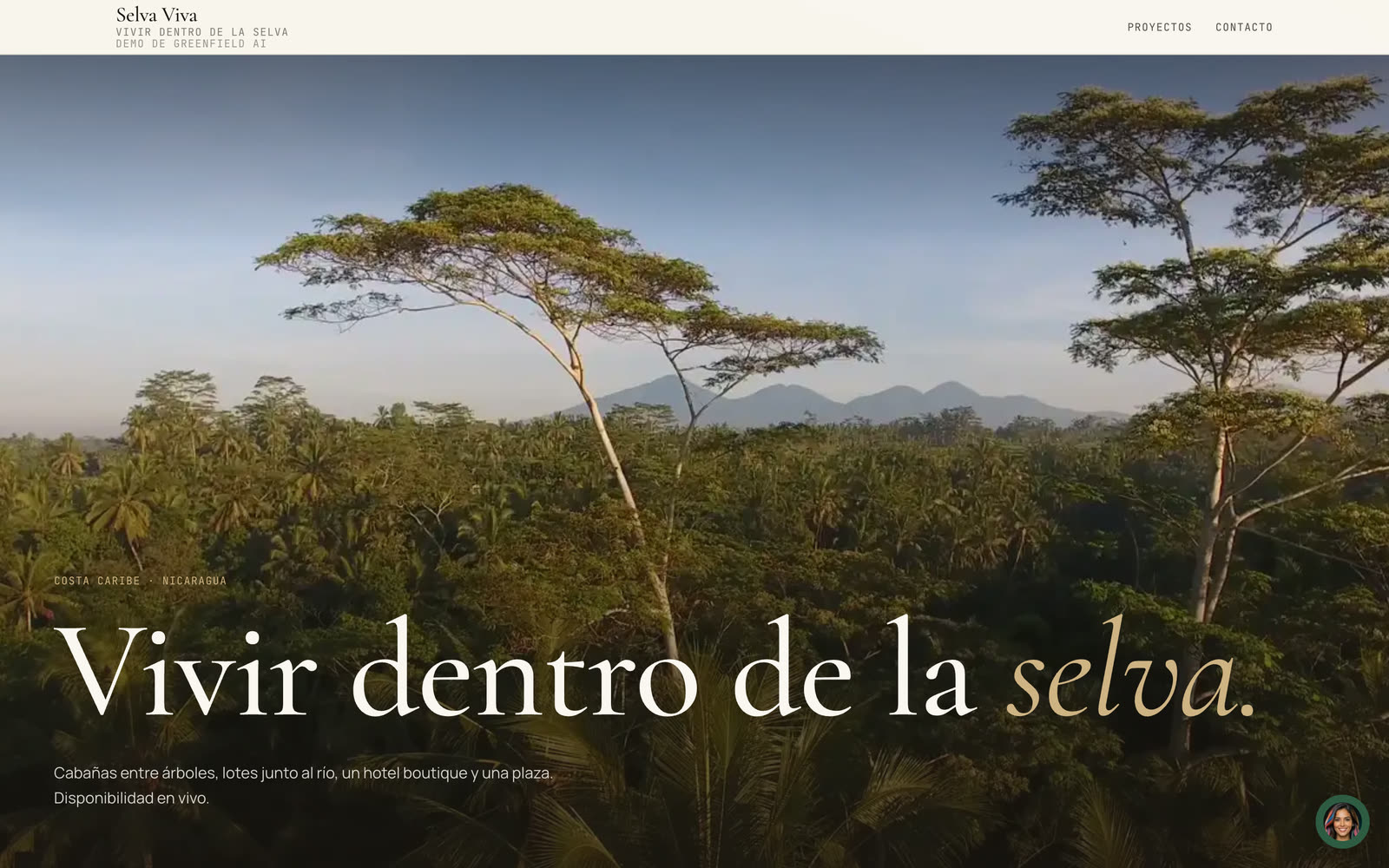
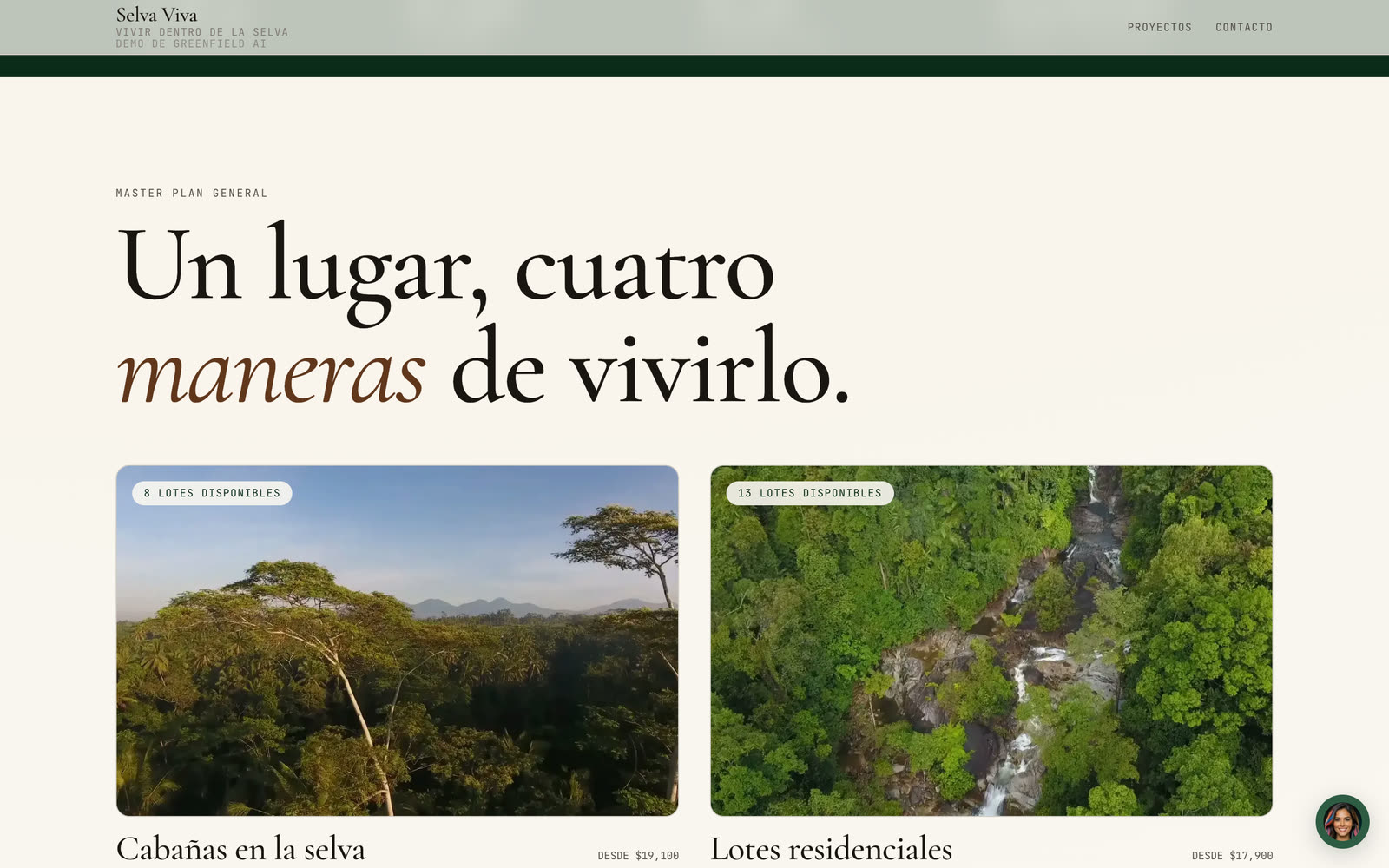
Visitors land on a site whose film plays as they scroll. The master plan shows each zone of the project with availability and entry price coming from the CRM, not from copy someone forgot to update.
- Available lots and «from» prices read live from inventory
- 360° tours of each zone
- Per-lot request form that arrives as a prospect
- Step 2SmartAgent
Moni answers at any hour
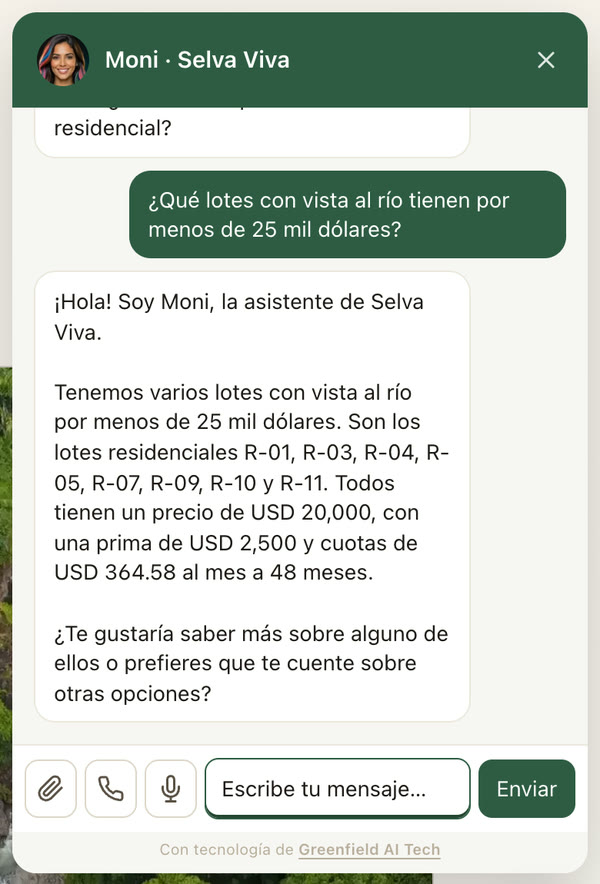
Moni is the site's assistant. She checks the real inventory before answering: which lots are left, at what price, with what down payment and over how many installments. When a visitor shows interest, she takes their details and hands them to the sales team.
- Answers with lots and figures from the CRM, not invented
- Through the site chat and WhatsApp
- Books visits and creates the prospect with the conversation attached
- Step 3SmartRealty
The prospect arrives in the pipeline
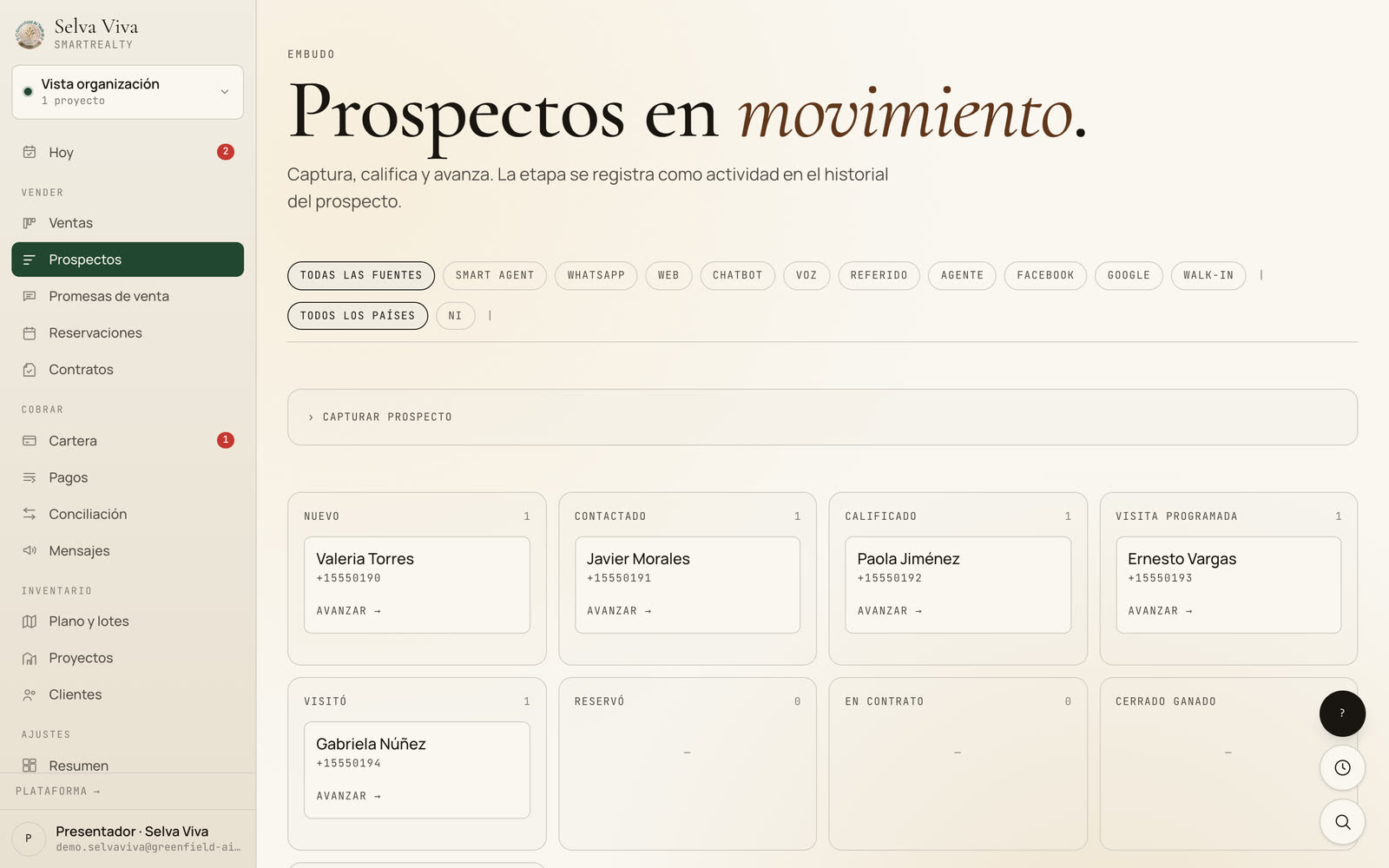
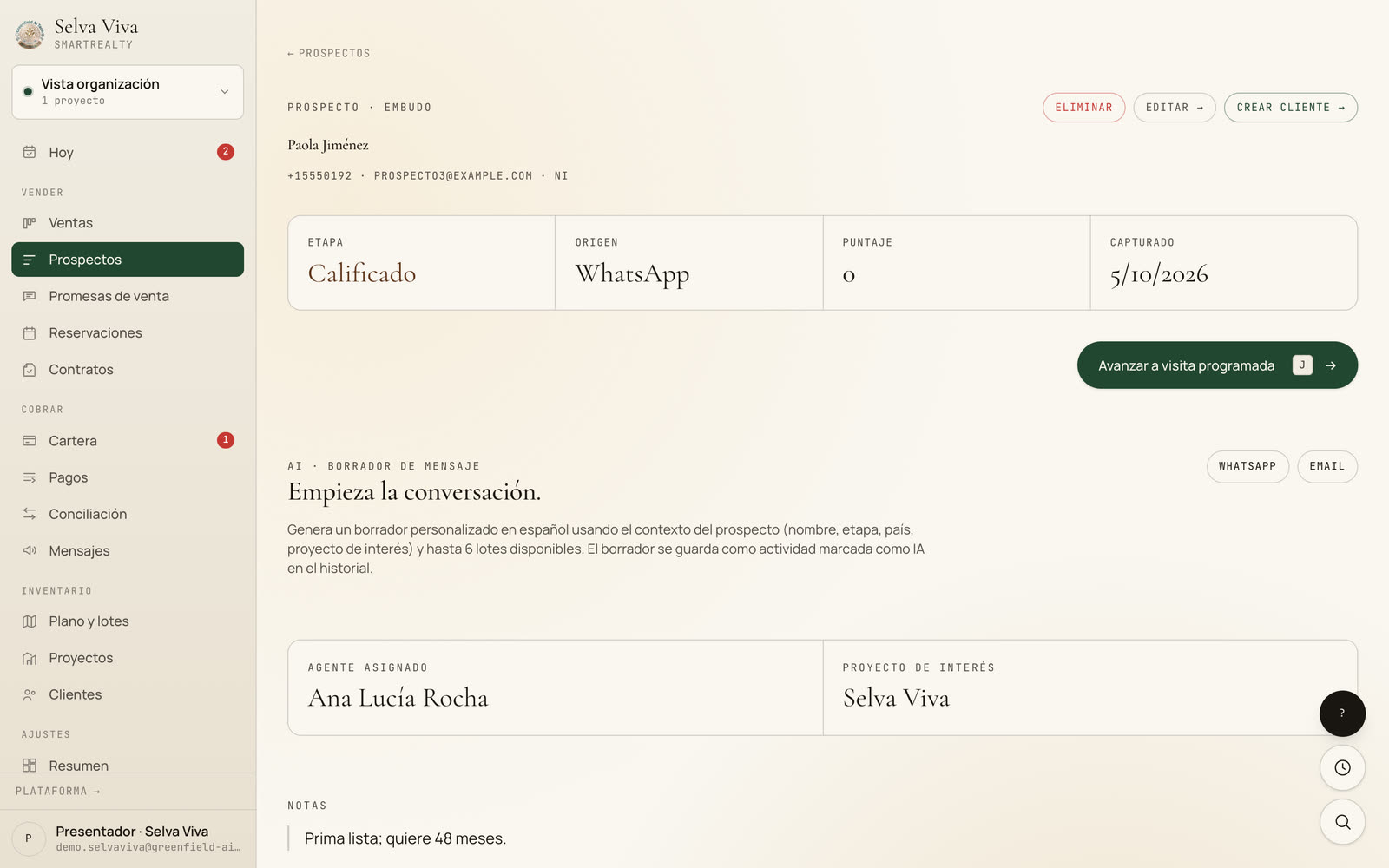
Every prospect, whether from Moni, the form or WhatsApp, enters the pipeline with its source. The salesperson gets a WhatsApp alert right away, opens the record and moves the stage forward; AI drafts the first message.
- Stage pipeline with each prospect's source
- WhatsApp alert to the assigned salesperson
- AI message draft based on the project of interest
- Step 4SmartRealty
Holding a lot without losing it
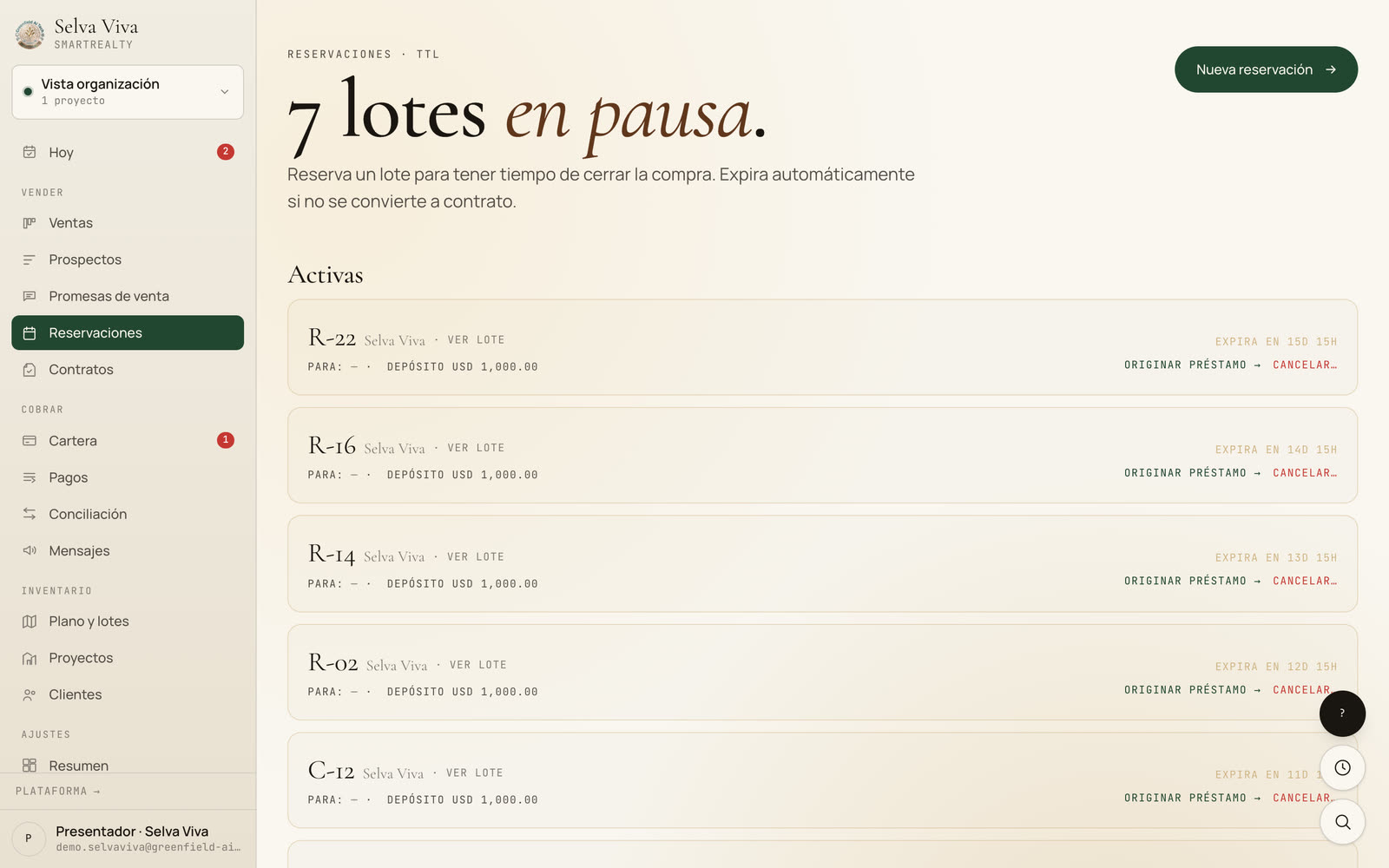
A lot is held with a deposit while the sale closes. The hold has an expiry date: if it doesn't become a contract, the lot returns to the site's availability on its own, without anyone having to remember.
- Online pre-reservation from the site
- Automatic expiry and a warning before it lapses
- From hold to loan in one step
- Step 5SmartRealty
Portfolio and collections in order
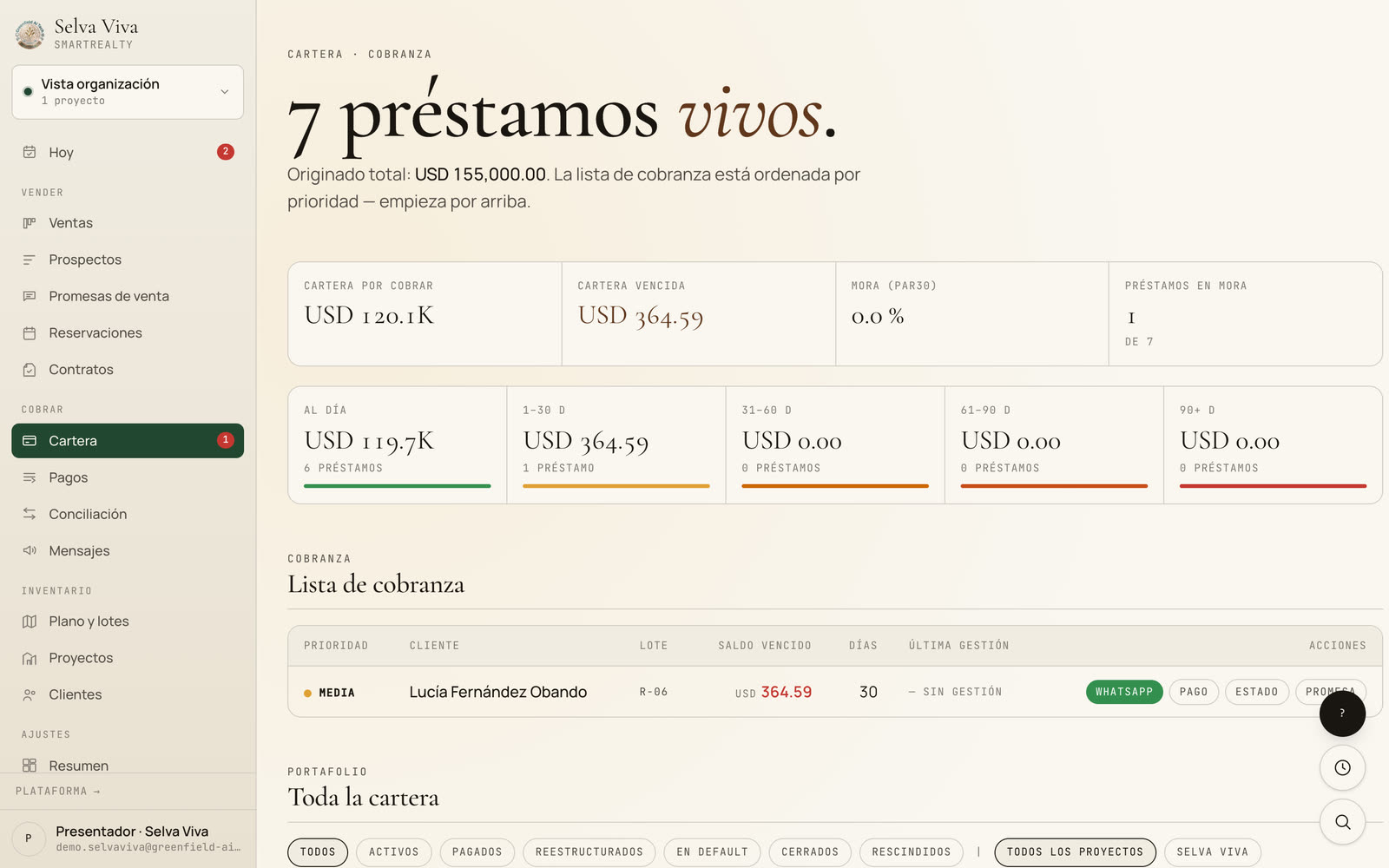
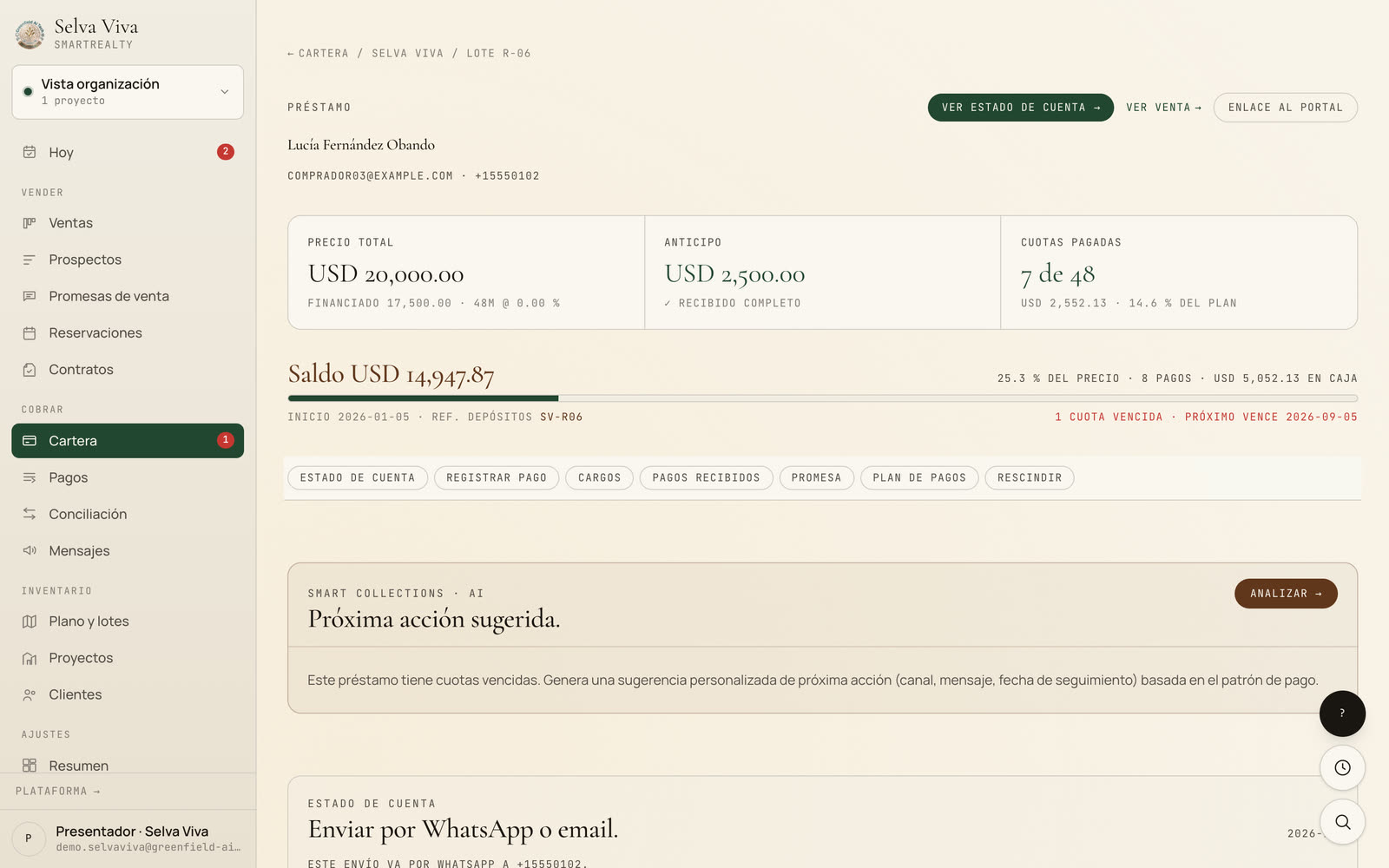
The developer's own financings, with their payment plans, live in the portfolio. The collections list is sorted by priority and every row has WhatsApp, payment entry and the statement within reach.
- Arrears by bracket (current, 1–30, 31–60 days…)
- Payment plan, charges and payments received per loan
- AI-suggested next action
- Step 6SmartRealty
The client knows how much they've paid
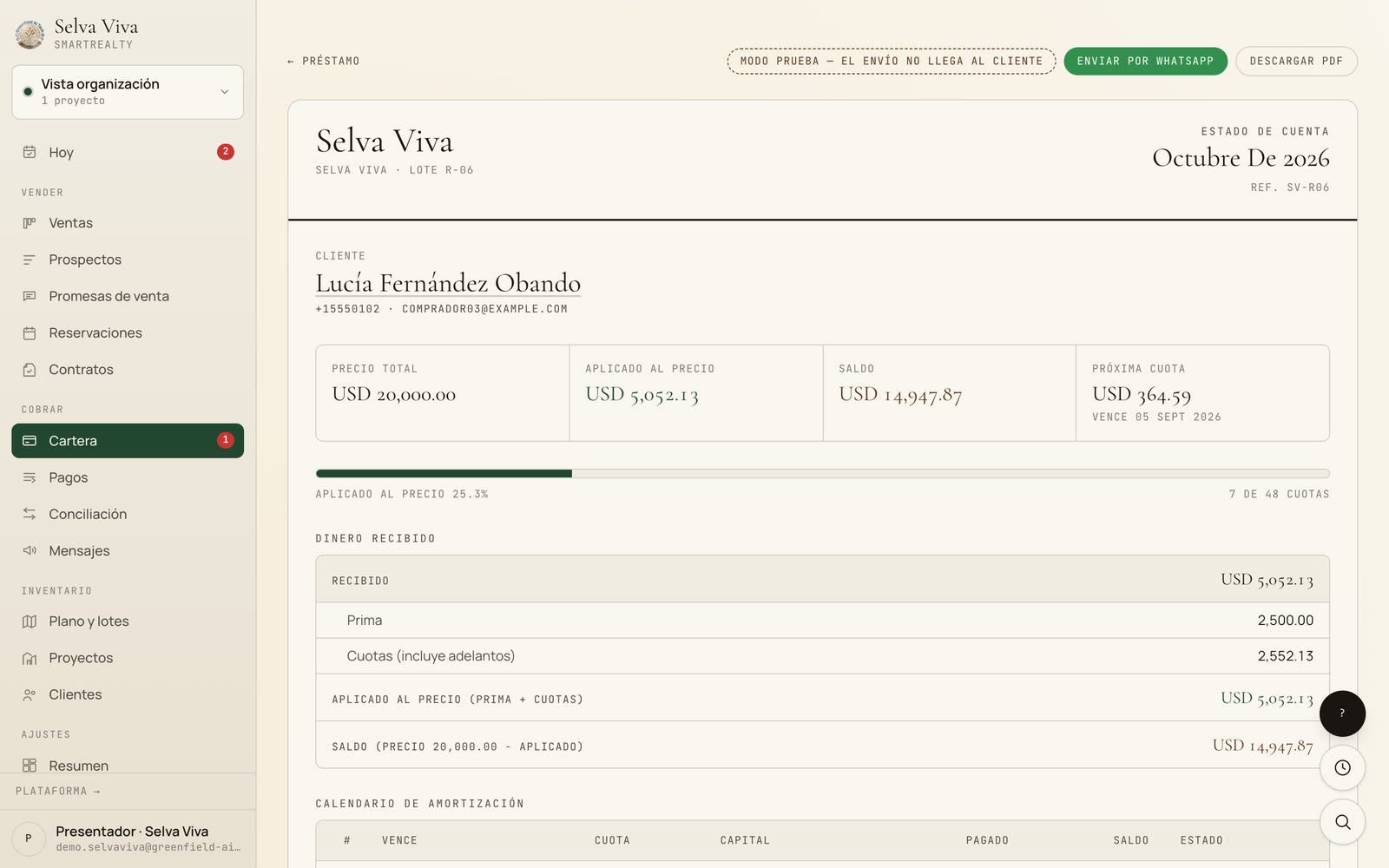
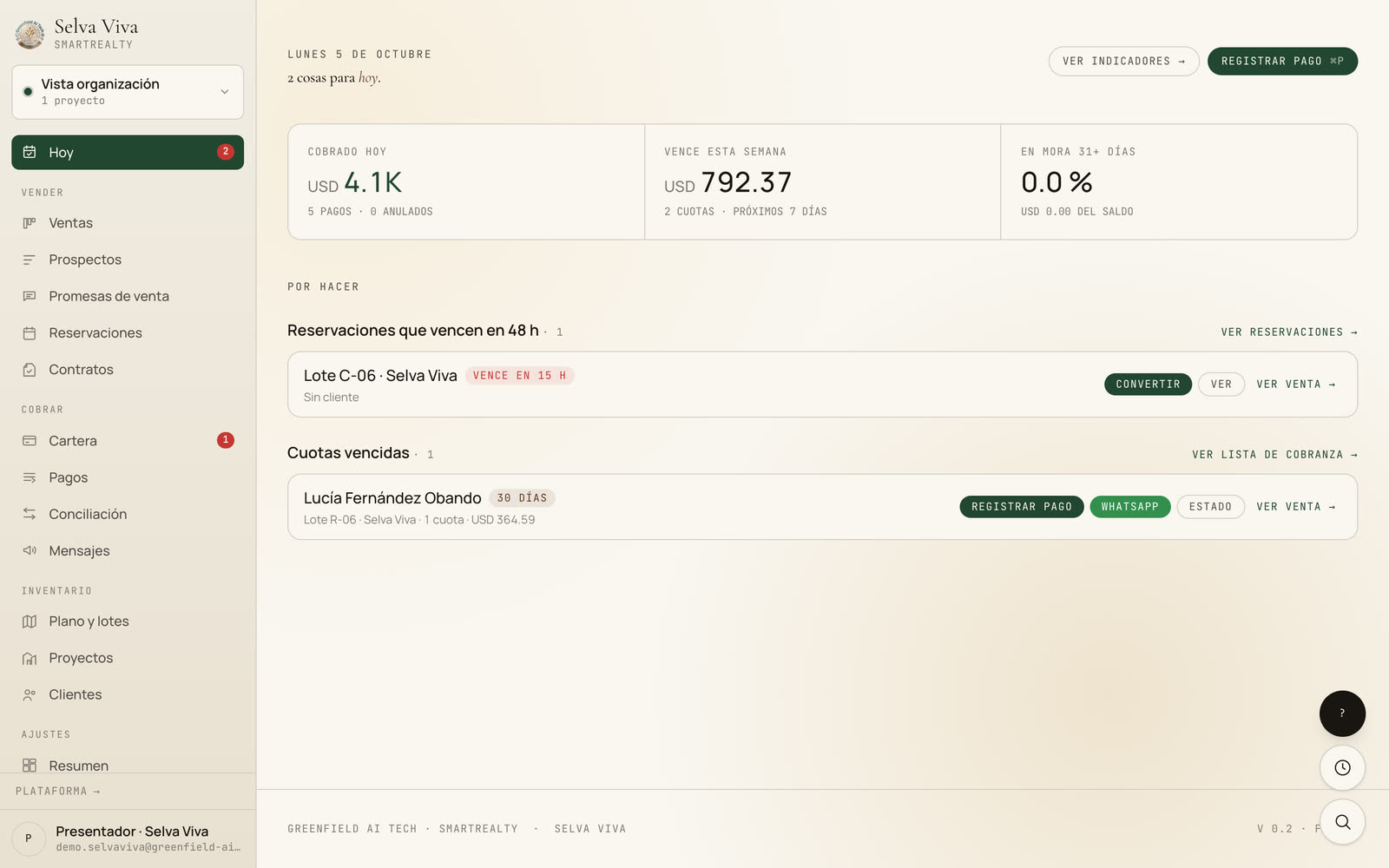
The statement builds itself from what's been applied to the price, the balance and the installment schedule, and goes out by WhatsApp or email. Every morning, «Today» tells the team which holds expire and which installments to collect.
- Statement as PDF and by WhatsApp
- Client portal with their balance
- «Today»: collected, due and pending
Three products that talk to each other
Smart Sites
The project's website, connected to inventory.
SmartAgent
Moni in the site chat and on WhatsApp.
SmartRealty
Prospects, holds, portfolio, collections and statements.
Before you open it
- Is the data real?
- The system is real; the business isn't. Selva Viva is a fictional developer with sample prospects, holds and loans, running on the same platform our real-estate clients use, such as Nikara.
- Can I log into the CRM?
- The site and Moni are open for you to try. We show you the CRM on a guided tour with an adviser, online or in person, walking through each screen with your case in mind.
- Do I need all three parts?
- No. SmartRealty works on its own, alongside your current site. The site and Moni add value when you want inventory and prospects to flow without copying anything by hand.
- Can I see it with my projects?
- Yes. With your plan, lot list and prices we'll prepare a demo under your brand for your team to see.
Want it with your projects?
We'll show you the CRM on a guided tour and prepare the demo under your brand.